Step 1 – how to measure time
There are two things you need to learn before you can build a reaction time tester. The first is how to measure time.
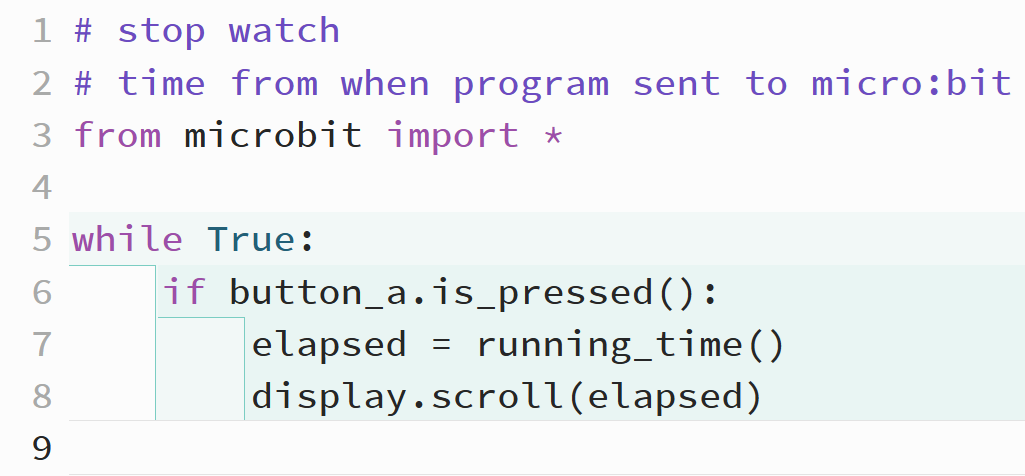
The code below shows you how to do this. There are a couple of things to notice:
- we're going to use button a to show the time. This will be the time that has passed (elapsed) since the program was sent to the micro:bit
- line 7 uses the running_time() command. This is the command which sends the time that has elapsed
- I'm going to store this in a variable called elapsed
- line 8 simply displays the value that got sent to the variable
Once you have the program written, send it to the micro:bit and press button a a few times. You should see that the time increases each time. Remember, the time is the time since you sent the program to the mico:bit.